AdminAPI REST Services
Overview
The AdminAPI provides access to the administrative and operational functions of the publishing platform. It covers the configuration and management of publishing projects, environments, users, permissions, content, and publishing processes.
Typical use cases include:
- Managing users, roles, teams, and projects
- Configuring publishing environments
- Administering publications and content
- Running and monitoring Priint:BPM processes
- Retrieving process status, logs, and generated assets
Base URL
https://{PUBSERVER_DOMAIN}/AdminAPI/api
Authentication
Almost AdminAPI endpoints require authentication.
Refer to the Authentication Guide for details on obtaining and using an AdminAPI token.
Supported authentication methods:
- Bearer Token (
Authorizationheader) adminTokencookie
API Documentation (Swagger UI)
The AdminAPI provides an OpenAPI/Swagger specification and an interactive Swagger UI.
OpenAPI definitions
https://{PUBSERVER_DOMAIN}/AdminAPI/api/openapi.json
Swagger UI
https://{PUBSERVER_DOMAIN}/AdminAPI/swagger-ui/
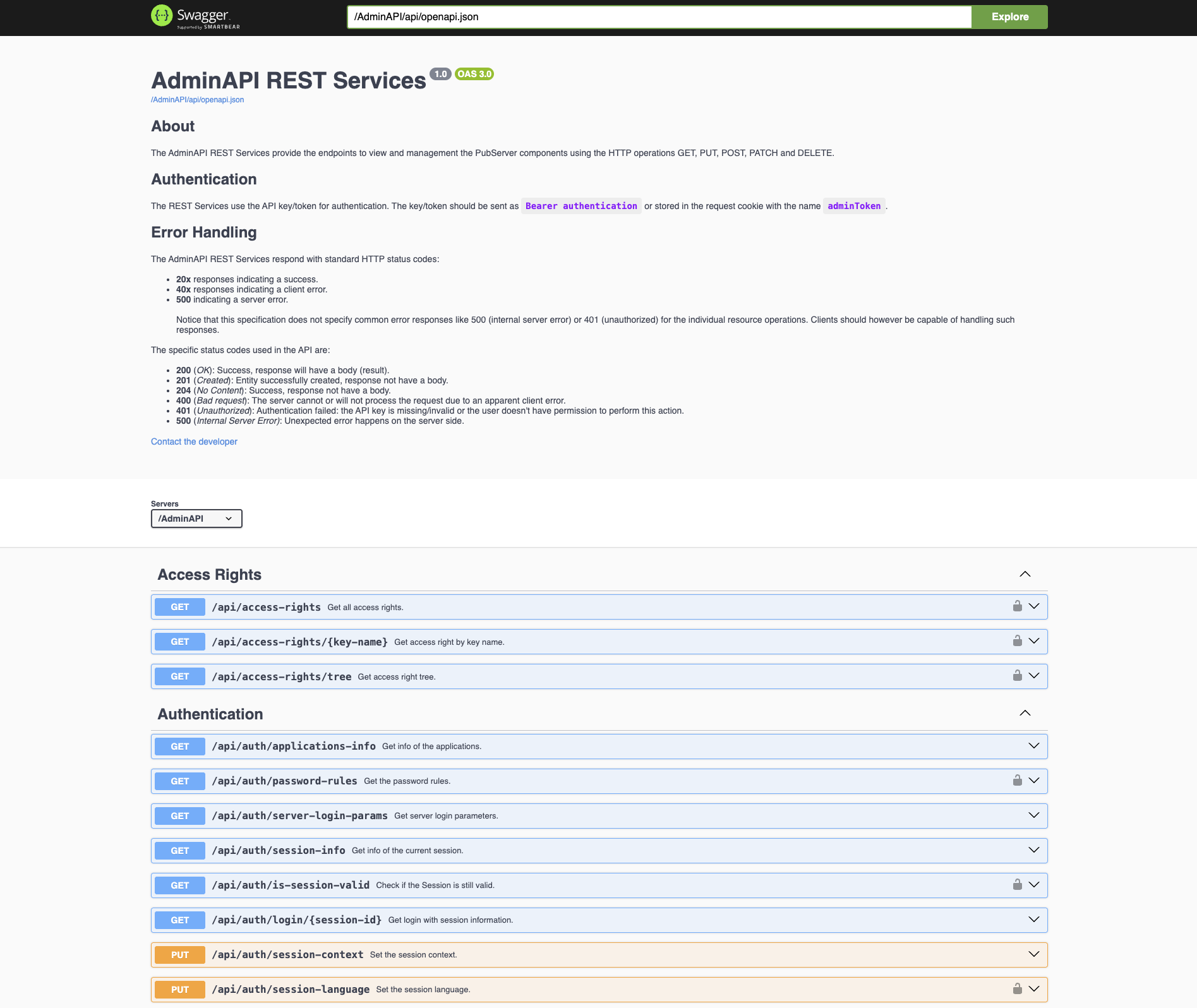
The Swagger UI allows developers to:
- Browse available endpoints
- View request and response schemas
- Test API operations directly from the browser
- Review authentication requirements
- Explore model definitions
Available Service Categories
The AdminAPI is organized into several functional areas.
User Management
Manage users and user-related settings.
Typical operations include:
- Read users data
- Create users
- Update users
- Delete users
- Duplicate users
- Manage user settings (projects, roles, teams)
Role Management
Manage user roles and role rights.
Typical operations include:
- Read roles
- Create roles
- Update roles
- Delete roles
- Duplicate roles
- Set users for roles
- Set rights for roles
Project Management
Manage user projects.
Typical operations include:
- List projects
- Get project users.
- Set users to projects.
Team Management
Manage user teams and memberships.
Typical operations include:
- Read teams
- Create teams
- Update teams
- Delete teams
- Set users for teams
Publication Right Management
Manage publication rights.
Typical operations include:
- Get publication rights of publications.
- Set publication rights (users and teams) for publication.
Value List Management
Manage value lists.
Typical operations include:
- Get value lists information.
- Create/update/delete value lists.
- Create/update/delete value list values.
- Create/update/delete value list language values.
Publication Type Management
Manage publication types.
Typical operations include:
- List publication types
- Create publication types
- Update publication types
- Delete publication types
- Get and set metadata for publication types.
Content Management
Manage content: buckets and content entities (texts, key values, media assets, links, prices, content metadata).
Typical operations include:
- Retrieve buckets data (children, texts, key values, media assets, links, prices, content metadata)
- Filter buckets by custom filers
- Create/edit/delete buckets
- Create/edit/delete bucket entities (texts, key values, media assets, links, prices, content metadata)
Server Configuration
Access and manage server configuration (preferences).
Typical operations include:
- Read configuration settings
- Update configuration settings
Server Information
Read and check the server information.
Typical operations include:
- Read server information: version and status, installed modules, application status, rendering services status...
- Check, request, reload, renew PubServer license
- Read layout configuration (logo, theme, color palette)
- Update configuration settings
Process Execution and Monitoring
Run and monitor Priint:BPM processes programmatically.
Typical operations include:
- Retrieve and filter deployed process definitions, including start form parameters.
- Execute processes: uploading process files, starting, completing, or stopping process instances.
- Monitor process instances, including their status and active tasks.
- Retrieve process results, such as generated assets from download or publishing processes.
- Query the history of process instances and tasks.
Usage Guides
The following guides provide detailed instructions for specific AdminAPI use cases:
- Process Execution – Learn how to execute, monitor, and retrieve results from Priint:BPM processes.
Additional guides will be added as more usage scenarios are documented.
Version Compatibility
The available endpoints and data structures may vary between product versions.
Always refer to the Swagger UI of your target environment for the most accurate and up-to-date API documentation.
Common Response Formats
Most endpoints return JSON responses.
Example:
{
  "id": "123",
  "label": "Example Item"
}
Error responses follow standard HTTP status codes.
Example:
{
  "status": 404,
  "message": "Item not found"
}
Best Practices
- Use the Swagger UI to explore endpoints and request formats.
- Authenticate using Bearer tokens whenever possible.
- Handle HTTP error codes appropriately.
- Verify endpoint availability against the target system version.
- Use HTTPS for all API communication.