Data Management - Patch 8 - Change Log
This eighth patch, released on 03 Jun 2026, delivers a major update to the collection structure across Data Management, introducing nested collection tree navigation for Facet Hierarchy, Filter, Group, and Attribute Set list pages, along with several bug fixes across the module.
Build Name on FTP: data-management_4.7.0.10.zip
Highlight features
| Ticket | Summary | Release Note | Screenshot |
|---|---|---|---|
| ADMIN-3690 | Nested collection tree on Filter, Group, and Attribute Set list pages | Added a left-side collection tree panel to the Filter, Group, and Attribute Set list pages. Selecting a node in the tree filters the right-side table to show only records in that collection. A breadcrumb above the table updates to reflect the selected path. Result: Users can now browse and manage items by collection hierarchy instead of using a flat dropdown. Users still on a flat structure see no change. | 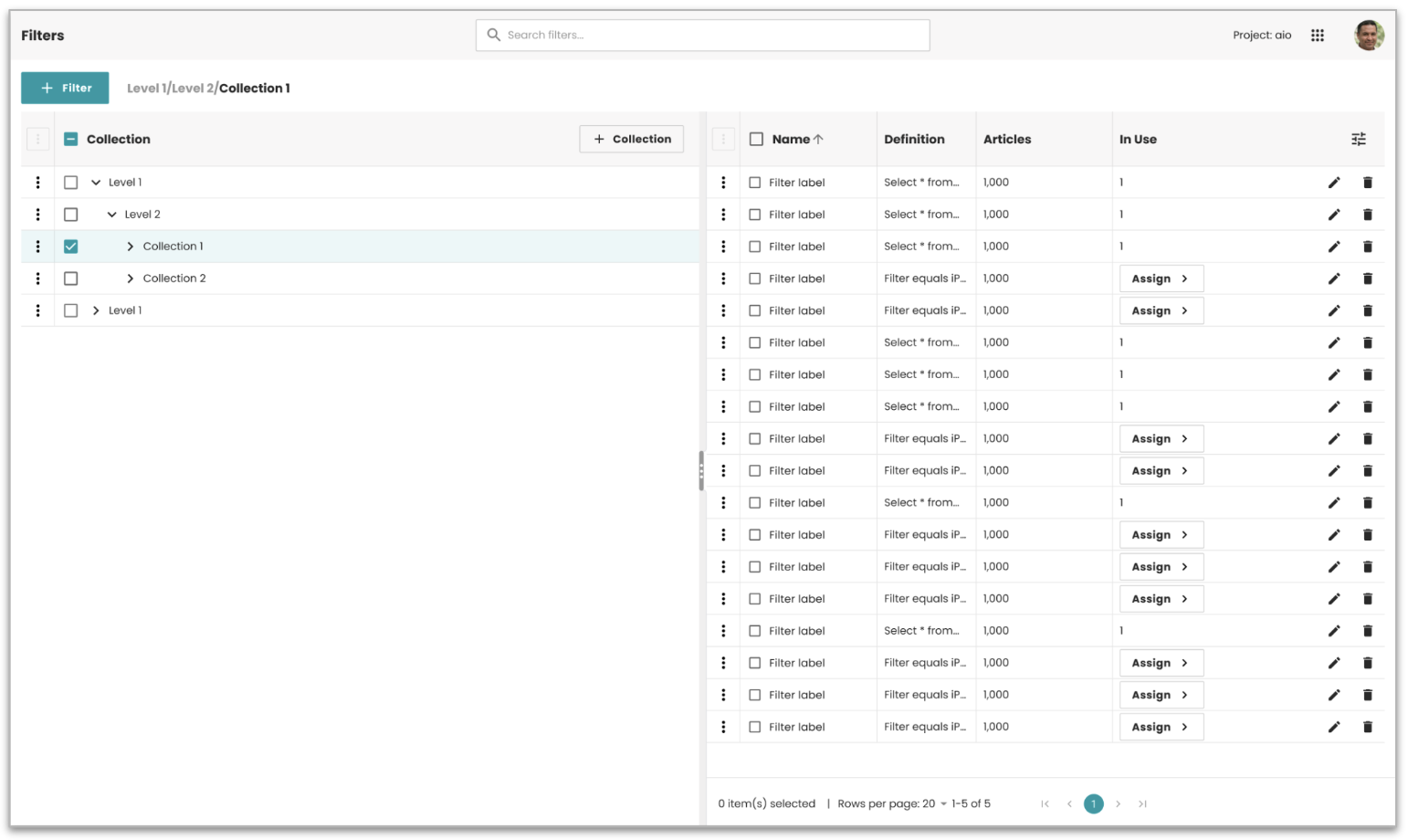 |
| ADMIN-3693 | Create, edit, and delete Facet Hierarchy Collections and Facet Hierarchies | Added full create, edit, and delete support for Facet Hierarchy Collections using a new tree-based collection picker (Bucket Selection Dialog). The picker pre-filters to the correct collection type and hides advanced search. The Collection field in the edit form is now editable, so users can move a Collection to a different parent level. Facet Hierarchy itself keeps the same form with no changes. Result: Cleaner and more accurate collection management for Facet Hierarchies. | 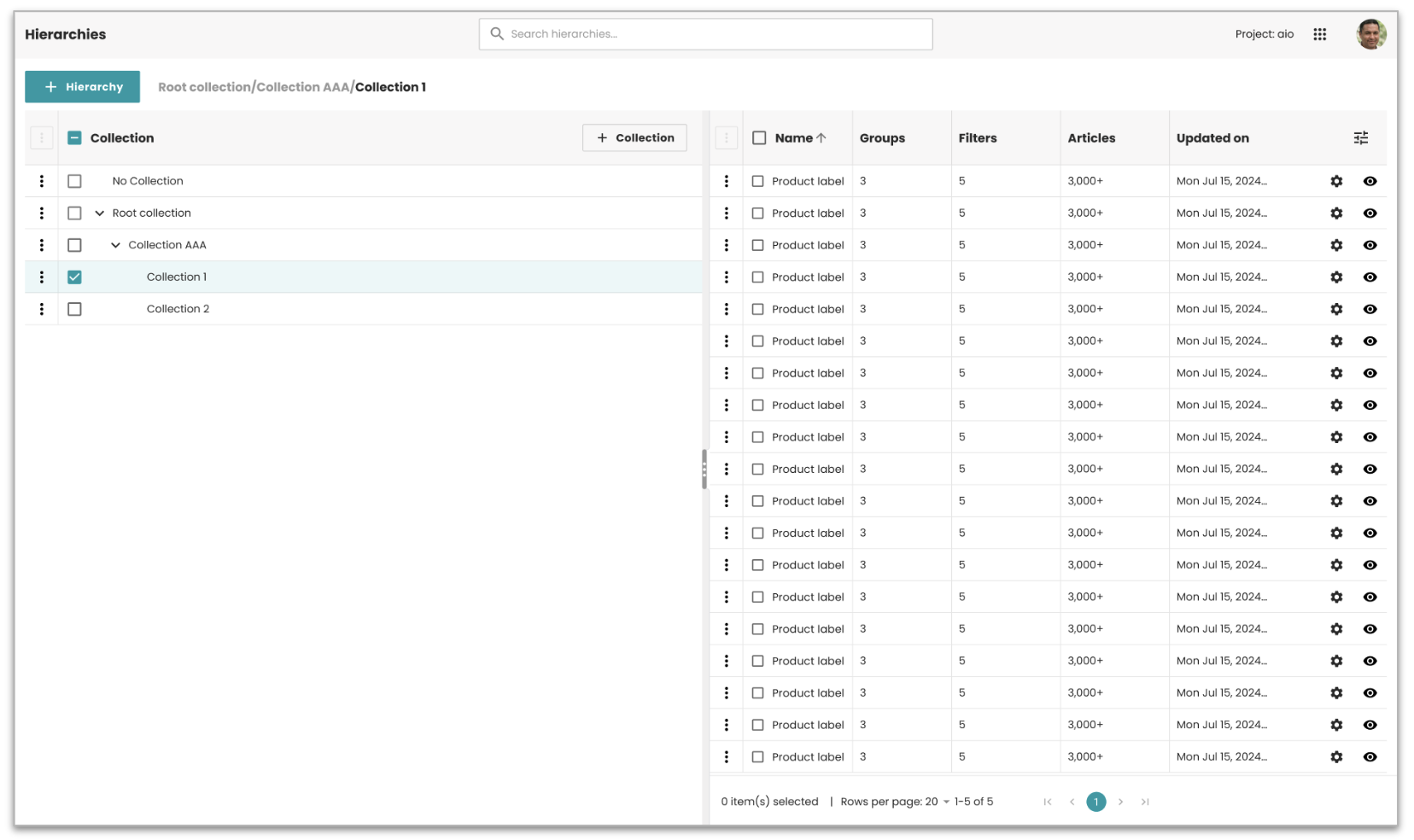 |
| ADMIN-3694 | Tree-view collection picker for Attribute Set, Filter, and Group forms | Updated the Create and Edit forms for Attribute Set, Filter, and Group to replace the flat collection dropdown with the Bucket Selection Dialog. The dialog pre-filters by the correct collection type for each entity and renders a tree-table. Advanced search is hidden. The Collection field in Edit forms is now editable across all four entities. Result: Users can move any item to a different collection level directly from the edit form. | 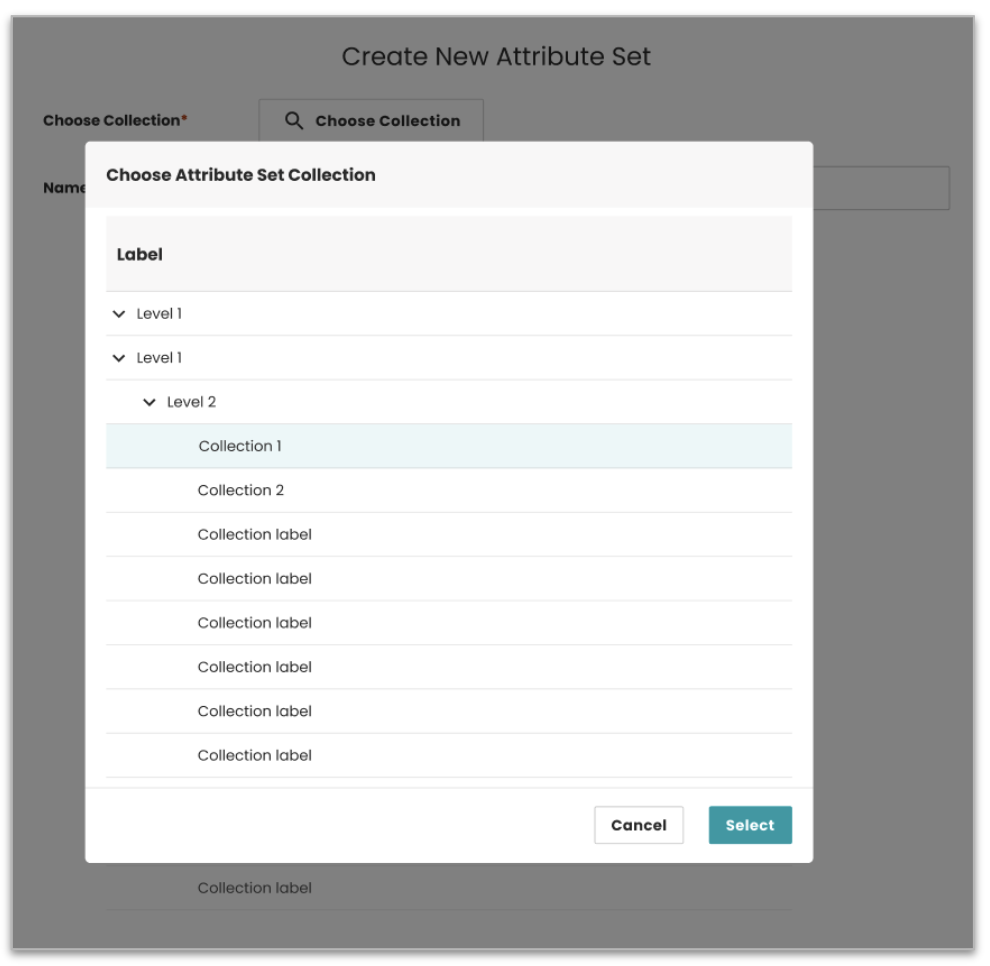 |
| ADMIN-3709 | Empty state for Filter and Group panels in Facet Hierarchy settings | Replaced the default auto-loading list in the Filter and Group panels on the Facet Hierarchy settings page with an empty state. The panel now shows a message and an action button instead of loading all items on open. Users pick a collection first, and the panel loads only the matching items. Result: Faster page load and a cleaner starting state. Users are guided to select a collection before results appear. | 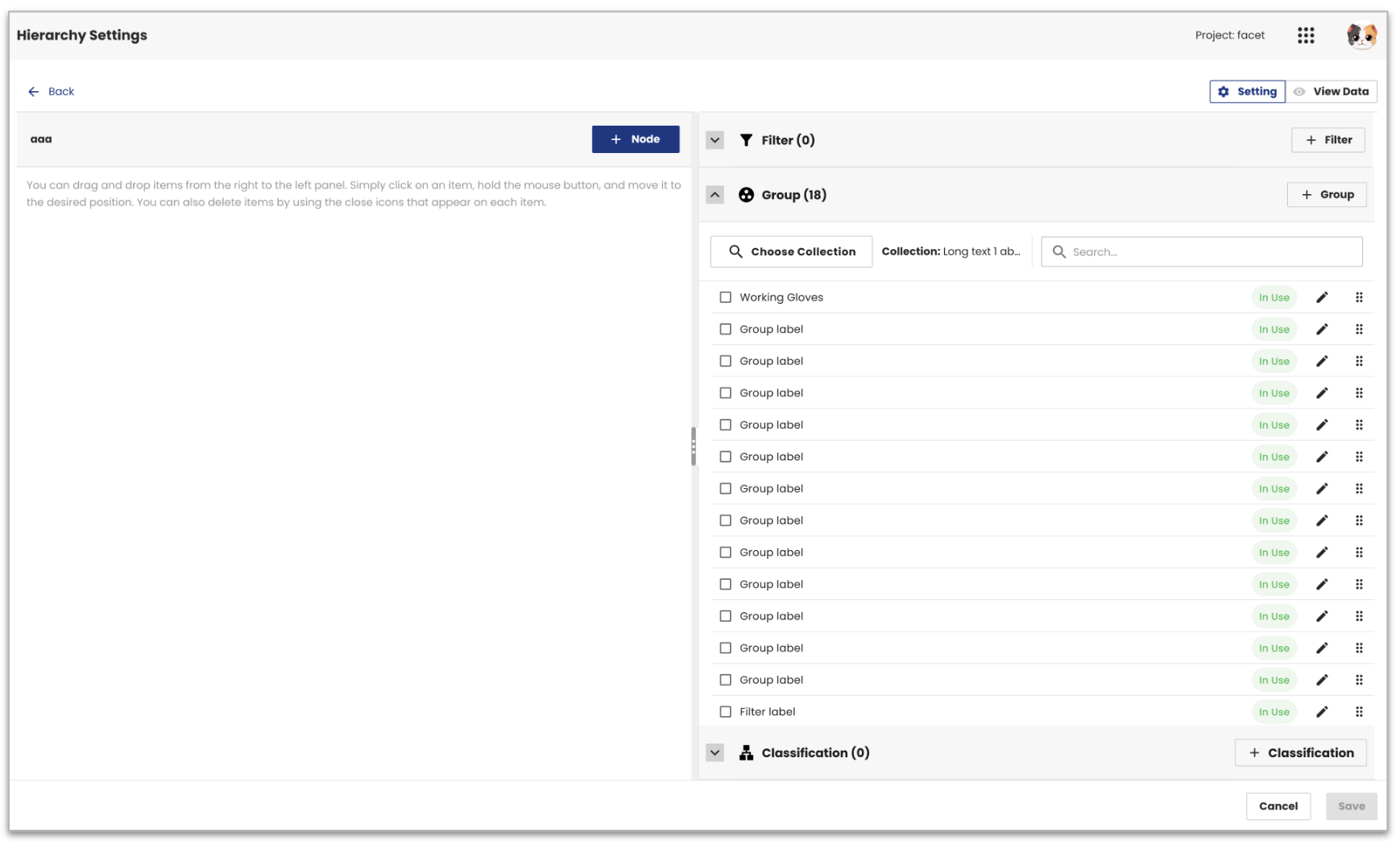 |
info
For detailed instructions on setting up Nested Collection support, please refer to this documentation.
Bug fixes
| Ticket | Summary | Release Note |
|---|---|---|
| ADMIN-3677 | SSO users get a permission error when creating a filter | Fixed an issue where users logged in via SSO received a permission error when trying to save a new filter. Result: SSO users can now create filters without any errors. |
| ADMIN-3669 | Search icon shown incorrectly in the Definition component | Fixed an issue where the search icon was visible inside the Definition component even when a Data Provider was already configured, which could confuse users. Result: The search icon is now hidden when a Data Provider is set, keeping the UI clean and consistent. |
| ADMIN-3678 | Alphabetical sort not available on the Text column in Attribute list | Added alphabetical sorting to the "Text" column on the Attribute list page. When this sort is active, the drag-and-drop reorder option is automatically hidden, consistent with how it works on the Value list page. Result: Users can now sort attributes by text name in addition to manual ordering. |
System compatibility
| Dependency | Min version | Max version |
|---|---|---|
| PubServer | 4.7.0.871 | 4.7.0.1064 |